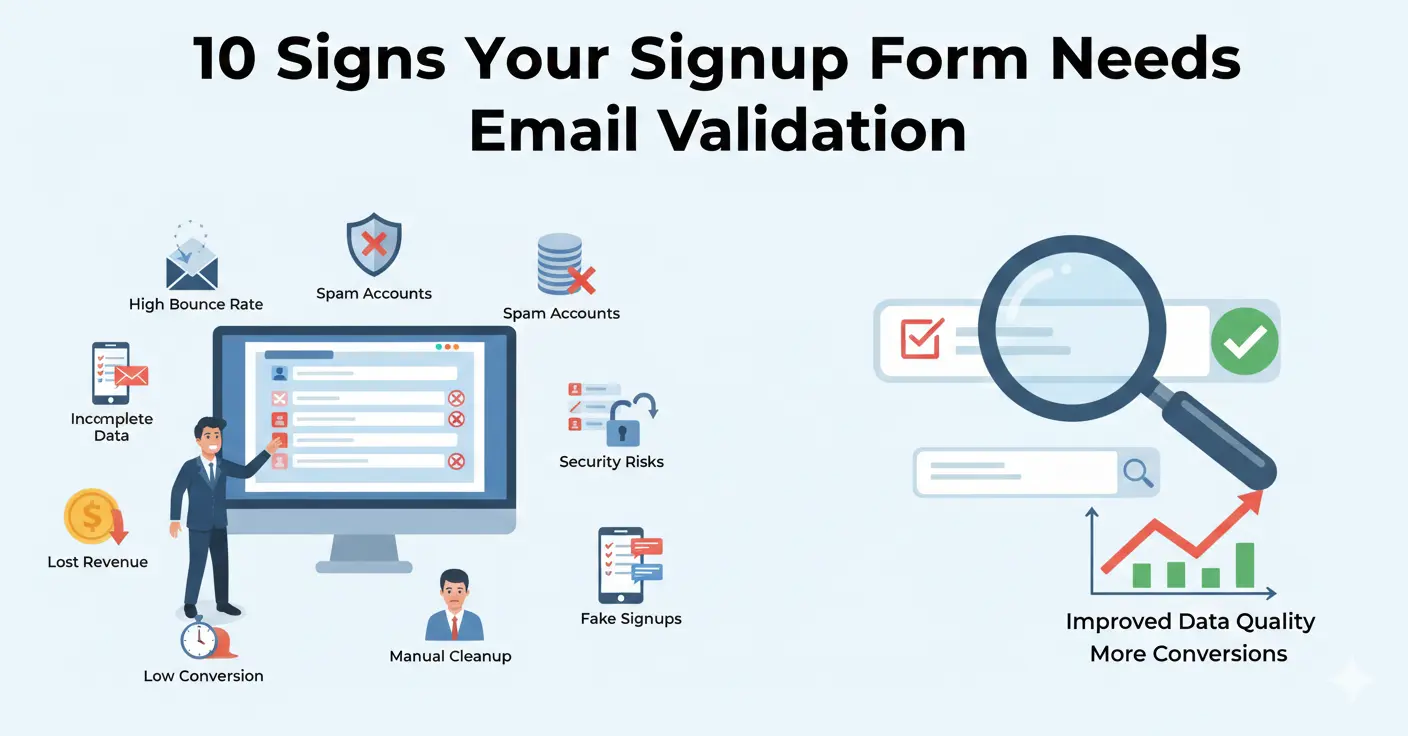
Your signup form is the front door of your product. When it works well, real users walk through and become customers. When it doesn't have proper email validation, it also lets in bots, disposable email abusers, and accidental typos — all of which create downstream problems that are expensive to fix. Here are ten signs that your signup form needs email validation, ranked from subtle to obvious.
1. Your Email Bounce Rate Is Above 2%
If more than 2% of the emails you send to your user base bounce, something is wrong at the point of collection. Hard bounces mean addresses that don't exist — either they were fake when entered, the user made a typo, or the address has since been deactivated. Email service providers start penalizing your sender reputation at around 2% bounce rate, and above 5% you'll find yourself in spam folders regularly.
Check your last few email campaigns. If your bounce rate exceeds 2%, your signup form is letting bad addresses through.
2. Onboarding Completion Rates Are Declining
Most SaaS products send an onboarding email sequence after signup. If your onboarding completion rate — the percentage of users who finish setup — is dropping, disposable email signups might be the cause. These users never intended to onboard; they signed up to grab a free resource or test a feature and used a throwaway address.
Compare onboarding completion rates between users with corporate email addresses and those with free/unknown providers. If there's a significant gap, disposable emails are likely inflating your signup numbers without contributing real users.
3. Free Tier Costs Keep Rising Without Revenue Growth
If your infrastructure costs for free-tier users are growing faster than your paid conversions, abuse is likely. Disposable email users can create unlimited free accounts, consuming compute, storage, and bandwidth without ever converting. A single person cycling through 50 disposable email addresses in a month generates 50x the infrastructure cost of a legitimate free user.
Validate emails at signup and flag or block disposable domains to ensure your free tier serves its purpose: converting users to paid plans.
4. You See Patterns in Your User Database
Open your user database and look for patterns. Sequential numeric addresses (user1@, user2@, user3@), obviously fake names combined with disposable domains, or clusters of signups from the same IP with different email addresses are all signs of abuse.
Common suspicious patterns:
- Multiple signups from the same IP within minutes
- Addresses with random character strings before the @
- Domains you've never heard of that are actually disposable services
- The same user agent and browser fingerprint across many accounts
5. Your Trial-to-Paid Conversion Rate Is Below Industry Benchmarks
Industry benchmarks for SaaS trial-to-paid conversion range from 2-5% for freemium and 15-25% for opt-in free trials. If you're significantly below these ranges, fake signups diluting your conversion funnel is a likely contributor.
If 20% of your trial signups are disposable email users who were never going to convert, your actual conversion rate among real users might be healthy — it just looks bad because the denominator is inflated.
6. Customer Support Gets Tickets About "Account Already Exists"
This is a classic sign of typo-related email issues. A user signs up with "john@gmial.com" (typo), never receives the confirmation email, and tries again with "john@gmail.com" (correct). Now they can't sign up because the email is already in the system — except it's a different account tied to a mistyped address.
Typo detection at the signup form catches this immediately: "Did you mean gmail.com?" prevents the user from creating an account they'll never be able to access.
7. Your Email Open Rates Are Below 15%
The average email open rate across industries is 20-25%. If yours is significantly below that, dead addresses are dragging down your metrics. Every email sent to a non-existent address is counted in your denominator but can never contribute to your numerator. Cleaning your list of invalid and disposable addresses immediately improves open rates because you're only measuring against real, deliverable addresses.
8. You Offer a Signup Incentive (Coupon, Free Credit, etc.)
If your signup form offers any incentive — a discount code, free credits, a downloadable resource — you're a target for disposable email abuse. The stronger the incentive, the more motivated people are to create multiple accounts.
E-commerce sites offering "15% off your first order" are particularly vulnerable. Without email validation, a single customer can create a new disposable email account for every purchase and stack that 15% discount indefinitely.
9. Your Marketing Team Can't Trust the Data
When your marketing team runs a campaign and the results don't make sense — high click rates but low conversions, or email metrics that fluctuate wildly between campaigns — dirty data is usually the culprit. If they've started adding caveats like "results may be unreliable due to data quality" to their reports, your signup form is the root cause.
Clean email data means reliable metrics, which means better decisions. Marketing teams should be optimizing campaigns, not questioning whether the underlying data is trustworthy.
10. You've Never Implemented Email Validation
The most obvious sign: if your signup form has no email validation beyond the browser's built-in HTML5 check (which only verifies basic format), you're guaranteed to have bad data in your system. HTML5 email validation accepts "user@anything" as valid — it doesn't check MX records, detect disposable domains, or catch typos.
If you've been running a signup form for months or years without proper validation, your user database has accumulated invalid addresses, disposable emails, and typos. The good news is that it's straightforward to fix — implement real-time validation on the form and run a bulk validation on your existing database to clean it up.
How to Fix It
Implementing email validation on your signup form takes 30 minutes or less with a good API. Here's the approach:
Step 1: Add Real-Time Validation
When a user enters their email and moves to the next field (or submits the form), make an API call to validate the address. Display the result inline:
- Valid, low risk: Green checkmark. Proceed normally.
- Typo detected: "Did you mean john@gmail.com?" with a one-click correction.
- Disposable detected: "Please use a permanent email address."
- Invalid domain: "This email domain doesn't appear to exist."
Step 2: Clean Your Existing Database
Export your current email list and run it through a bulk validation service. Remove or flag addresses that come back as invalid, disposable, or high-risk. This immediately improves your email deliverability and campaign metrics.
Step 3: Implement Periodic Re-Validation
Set up a monthly or quarterly job to re-validate active user emails. Addresses degrade over time — people change jobs, abandon addresses, and domains expire. Catching these changes keeps your list clean long-term.
The Bottom Line
If any of these signs resonate, email validation should be near the top of your priority list. It's one of the highest-ROI investments you can make — a few lines of API integration code that protect your deliverability, improve your data quality, and reduce abuse across your platform.
Start with Mailchk's free tier (200 validations/month, no credit card) and see the impact on your signup quality within a day.