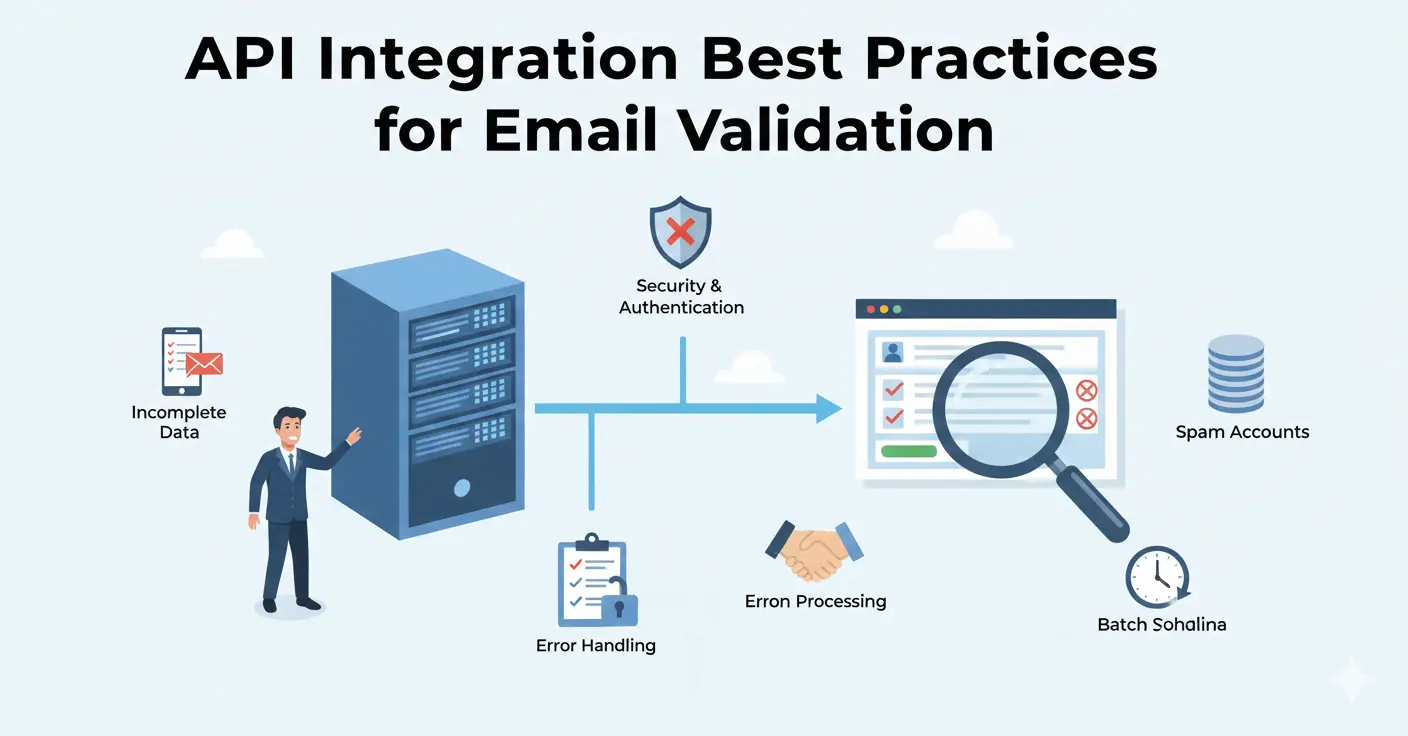
Integrating an email validation API seems straightforward — make an HTTP request, get a response, act on the result. But the difference between a basic integration and a production-grade one is significant. This guide covers the patterns, error handling strategies, and architectural decisions that separate reliable integrations from fragile ones.
Where to Validate: Client, Server, or Both
Client-Side: Quick Feedback, No Security
Running validation in the browser gives instant feedback to users. They type an email, tab to the next field, and see a green checkmark or an error message within milliseconds. The UX benefit is real.
The problem: client-side validation is trivially bypassed. Anyone who opens their browser's developer tools can disable JavaScript, modify the validation logic, or submit directly to your API endpoint. Client-side validation improves UX but provides zero security.
Server-Side: The Required Layer
Server-side validation is non-negotiable. This is where you make the actual API call to verify the email, and it's the only check that can't be bypassed by end users. Your API key stays secure on the server, and you can implement business logic based on the validation result.
The Recommended Approach: Both
Use client-side for a quick syntax check and UX feedback. Use server-side for the real validation call. This gives you the best of both worlds: instant feedback for users and reliable validation for your system.
// Client-side: quick syntax check
function quickValidateEmail(email) {
  const pattern = /^[^\s@]+@[^\s@]+\.[^\s@]+$/;
  return pattern.test(email);
}

// Server-side: full validation via API
async function validateEmail(email) {
  const response = await fetch('https://api.mailchk.io/v1/validate', {
    method: 'POST',
    headers: {
      'Authorization': `Bearer ${process.env.MAILCHK_API_KEY}`,
      'Content-Type': 'application/json'
    },
    body: JSON.stringify({ email })
  });

  if (!response.ok) {
    throw new Error(`Validation API error: ${response.status}`);
  }

  return response.json();
}
Error Handling That Won't Break Your Form
The most common integration mistake is treating API failures as validation failures. If your validation API is temporarily unreachable, you don't want to block all signups. Here's the correct pattern:
Fail Open, Not Closed
If the validation API returns an error (500, timeout, network failure), accept the email and flag it for asynchronous re-validation later. Blocking legitimate signups because of a transient API issue is worse than letting a few bad emails through.
async function validateAndSignup(email) {
  let validationResult = null;

  try {
    validationResult = await validateEmail(email);
  } catch (error) {
    // API unreachable - fail open, validate later
    console.error('Validation API error:', error);
    await queueForRevalidation(email);
    return { accepted: true, validated: false };
  }

  if (validationResult.disposable) {
    return { accepted: false, reason: 'Disposable email not allowed' };
  }

  if (validationResult.risk === 'critical') {
    return { accepted: false, reason: 'Please use a valid email address' };
  }

  return { accepted: true, validated: true };
}
Implement Timeouts
Don't let a slow API response hang your signup form indefinitely. Set an aggressive timeout (2-3 seconds) and fail open if it's exceeded. With a well-built validation API, responses should arrive in under 50ms — a 3-second timeout gives enormous headroom while still protecting your UX.
Retry with Backoff
For server-side batch processing (not real-time form validation), implement exponential backoff for failed requests. Start with a 1-second delay, double it on each retry, and cap at 30 seconds. Most transient API issues resolve within a few seconds.
Caching Validation Results
If the same email address is submitted multiple times (common in re-registration flows, login forms, or during testing), you don't need to validate it every time.
Short-Term Cache
Cache validation results for 1-24 hours depending on your use case. A signup form might cache for 1 hour (in case the user corrects a typo and resubmits), while a bulk import might cache for 24 hours to avoid re-validating the same address across multiple batches.
What to Cache
Cache the full validation result, not just pass/fail. If a user submits a disposable email, gets rejected, and tries again, you want to return the same detailed result without another API call.
Cache Invalidation
Don't cache indefinitely. Email addresses change status — a valid address today might bounce next month. For user databases, re-validate periodically (monthly or quarterly) regardless of cached results.
Handling Validation Results
Don't Just Block — Guide
The most user-friendly approach is to guide users toward a good email address rather than simply rejecting bad ones. Here's how to handle each result type:
- Typo detected: Show the suggestion inline. "Did you mean sarah@gmail.com?" with a one-click "Yes, fix it" button. This recovers real signups.
- Disposable detected: Explain why. "Please use a permanent email address so we can send you account information." Most users understand and comply.
- Invalid domain: "We couldn't verify this email domain. Please double-check the address." Don't assume it's fake — the user might have a legitimate but obscure domain.
- Role-based (info@, admin@): Consider accepting but flagging. Role addresses are valid but may not be the best for account communication.
Store the Validation Metadata
Don't just store whether an email passed validation. Store the full result — risk score, disposable flag, free provider flag, MX status — alongside the user record. This data is valuable for segmentation, security analysis, and debugging.
Rate Limiting and Quota Management
Track Your Usage
Most validation APIs have monthly quotas. Track your usage proactively rather than discovering you've hit your limit when signups start failing. Set up alerts at 80% and 95% of your monthly quota.
Prioritize Validation Calls
If you're approaching your quota limit, prioritize real-time form validation over background re-validation jobs. A new signup attempt is more time-sensitive than cleaning an existing database record.
Avoid Duplicate Calls
Debounce client-side validation so you're not making API calls on every keystroke. A common pattern is to validate when the user tabs out of the email field, not while they're still typing. On the server, check your cache before making an API call.
Security Considerations
Never Expose Your API Key
Your validation API key should only exist on your server. Never include it in client-side JavaScript, mobile app bundles, or public repositories. Use environment variables and server-side proxying for client-side validation needs.
Rate Limit Your Own Endpoints
If you create a server-side proxy endpoint for validation (so your frontend can trigger validation without exposing the API key), add rate limiting to that endpoint. Otherwise, an attacker could use your proxy to exhaust your validation quota.
Log Validation Results for Security Auditing
High volumes of critical-risk signups from the same IP range, or patterns of disposable email usage, can indicate coordinated abuse. Logging validation results (without storing the full email for privacy reasons) enables your security team to detect and respond to these patterns.
Architecture for Scale
Asynchronous Validation Queue
For high-traffic applications, consider validating asynchronously. Accept the signup immediately, show a "verification email sent" message, and validate in the background. If the validation returns critical risk, flag the account before the user completes onboarding.
This pattern eliminates validation latency from the signup flow entirely, at the cost of slightly delayed enforcement. It works well for applications where a confirmation email step already exists.
Webhook Processing for Bulk
When importing large lists, use a queue-based architecture rather than synchronous API calls. Push email addresses into a queue (SQS, Redis, etc.), have workers pull from the queue and call the validation API, and store results as they arrive. This handles backpressure gracefully and can be scaled by adding more workers.
Circuit Breaker Pattern
Implement a circuit breaker around your validation API calls. If the API returns errors for more than a threshold of requests (e.g., 50% failure rate over 10 requests), open the circuit and stop making calls for a cooling period. This prevents cascading failures in your system when the validation API is having issues.
Testing Your Integration
Before going to production, test these scenarios:
- Valid email: Passes through and creates account normally
- Disposable email: Rejected with clear user-facing message
- Typo email: Suggestion displayed, user can accept or override
- API timeout: Signup succeeds (fail open), email queued for re-validation
- API error (500): Same as timeout — fail open
- Rate limit exceeded: Graceful degradation, not a hard failure
- Network disconnect: Signup succeeds, validation deferred
Getting Started
The Mailchk API is designed for quick integration. A single POST endpoint handles all validation, returning a comprehensive result object with risk score, disposable detection, MX status, and typo suggestions. Sign up for a free account (200 validations/month, no credit card), grab your API key from the dashboard, and start with the server-side integration pattern above. Most developers have a working integration within 30 minutes.